Free tool
Free WhatsApp QR code and link generator
This free WhatsApp link generator turns your number into a wa.me click-to-chat link and a QR code you can download as a PNG. Enter the number with its country code and add a welcome message if you want one. There is no sign-up and no limit on how many you make.
Works with any number registered on WhatsApp · No sign-up · Free for business use
How it works
How do you create a WhatsApp link and QR code?
Type your WhatsApp number with the country code, add a welcome message if you want one, and press Generate: you get a wa.me link and a QR code that opens a chat with that number.
Enter your number
Your WhatsApp business number with the country code. It is the only field you have to fill in.
Add a welcome message
Optional. It is typed in for the customer when the chat opens, so they know what to say, and they can edit it first.
Copy, download or test
Copy the link, save the QR code as a PNG, or open it in WhatsApp to check it reaches the right chat.
The link
What is a WhatsApp click-to-chat (wa.me) link?
A WhatsApp click-to-chat link is a web address in the form https://wa.me/ followed by a full international phone number. It opens a WhatsApp chat with that number without the customer saving it as a contact first. Adding ?text= and an encoded message fills in the customer's first message for them.
| You type | Link the tool makes | Opens the right chat? |
|---|---|---|
| 91 98765 43210 | https://wa.me/919876543210 | Yes |
| +91-98765-43210 | https://wa.me/919876543210 | Yes: the + and dashes are removed |
| 91 98765 43210, with the message “Hi, I'd like a quote” | https://wa.me/919876543210?text=Hi%2C%20I'd%20like%20a%20quote | Yes, with the message filled in |
| 098765 43210 | https://wa.me/09876543210 | No: add the country code and drop the leading 0 |
The rule behind the last row: a click-to-chat link needs the full number in international format, with no leading zeros. The tool strips spaces, dashes, brackets and the plus sign for you, but it cannot add a country code that was left out.
Source: WhatsApp Help Center, How to use click to chat.
Where it works
Where should a business put its WhatsApp QR code?
Wherever a customer might want to ask something before or after they buy: on packaging, counters, menus, print ads and invoices, and, as a link, on your website, email signature and social profiles.
Six places it earns its keep
- Packaging and inserts: support and reorders without the customer hunting for a number.
- Counters, tables and menus: orders, bookings and questions from people already in your space.
- Print ads and flyers: a response route for print, measured by the chats it starts.
- Invoices and delivery slips: payment and delivery questions land in a chat, not a call.
- Website and email signature: the link as a button, so a visitor can message you from any page.
- Social profiles: one tap from your bio into a conversation with your team.
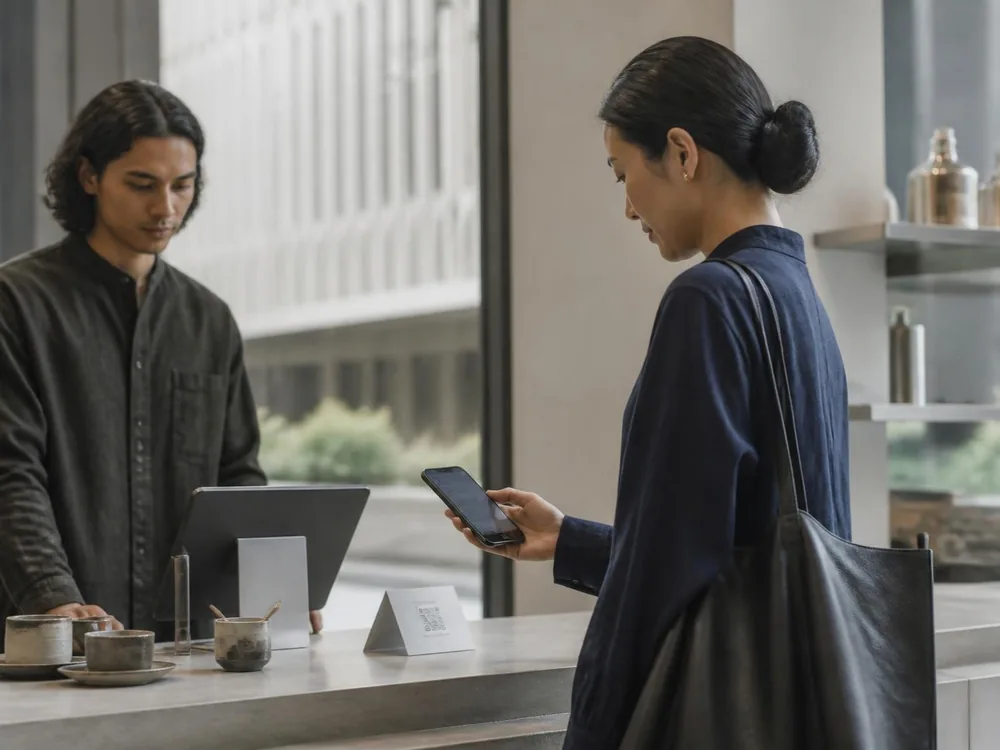
Give each placement its own welcome message, such as “Hi, I scanned the menu” or “Hi, I saw your flyer”. Every chat then tells you which QR code brought it in.
After the scan
What happens when the chats start arriving?
A link opens a chat; answering hundreds of them is a separate job, and that is what the WhatsApp Business API is for. The customers who message you are the ones worth keeping.
One inbox for the whole team
Every chat from every QR code in a shared inbox, assigned and tracked, instead of one phone passed around.
First replies that answer themselves
A no-code chatbot greets, answers the common questions and hands over to a person when it should.
Conversations in your CRM
Salesforce, HubSpot, Zoho, Freshdesk, CleverTap, MoEngage, or your own system over our REST API. How CRM integrations work.
Questions
Frequently asked.
Yes. The tool is free to use, needs no sign-up, and you can generate as many WhatsApp links and QR codes as you need.
No. The QR code holds the wa.me link itself, so it keeps working for as long as the number stays registered on WhatsApp.
No. The message is part of the link inside the code, so a new message needs a new QR code. Generate it again here and replace the print.
Yes. A wa.me link opens a chat with any number registered on WhatsApp, whether it runs on the WhatsApp Business app, the WhatsApp Business API or a personal account.
Usually it is the number format: the country code has to come first, with no leading 0 or 00 in front of it. Check the number is registered on WhatsApp, then generate the link again.
UDO records the number, email and message you enter when you press Generate, and handles them under our Privacy Policy. The email is optional; the tool works without it.
Ready for more than a link?
When the chats start arriving, the WhatsApp Business API gives your team one inbox, automated first replies and your CRM in the same place. Book a demo and we will show you how it would run for you.