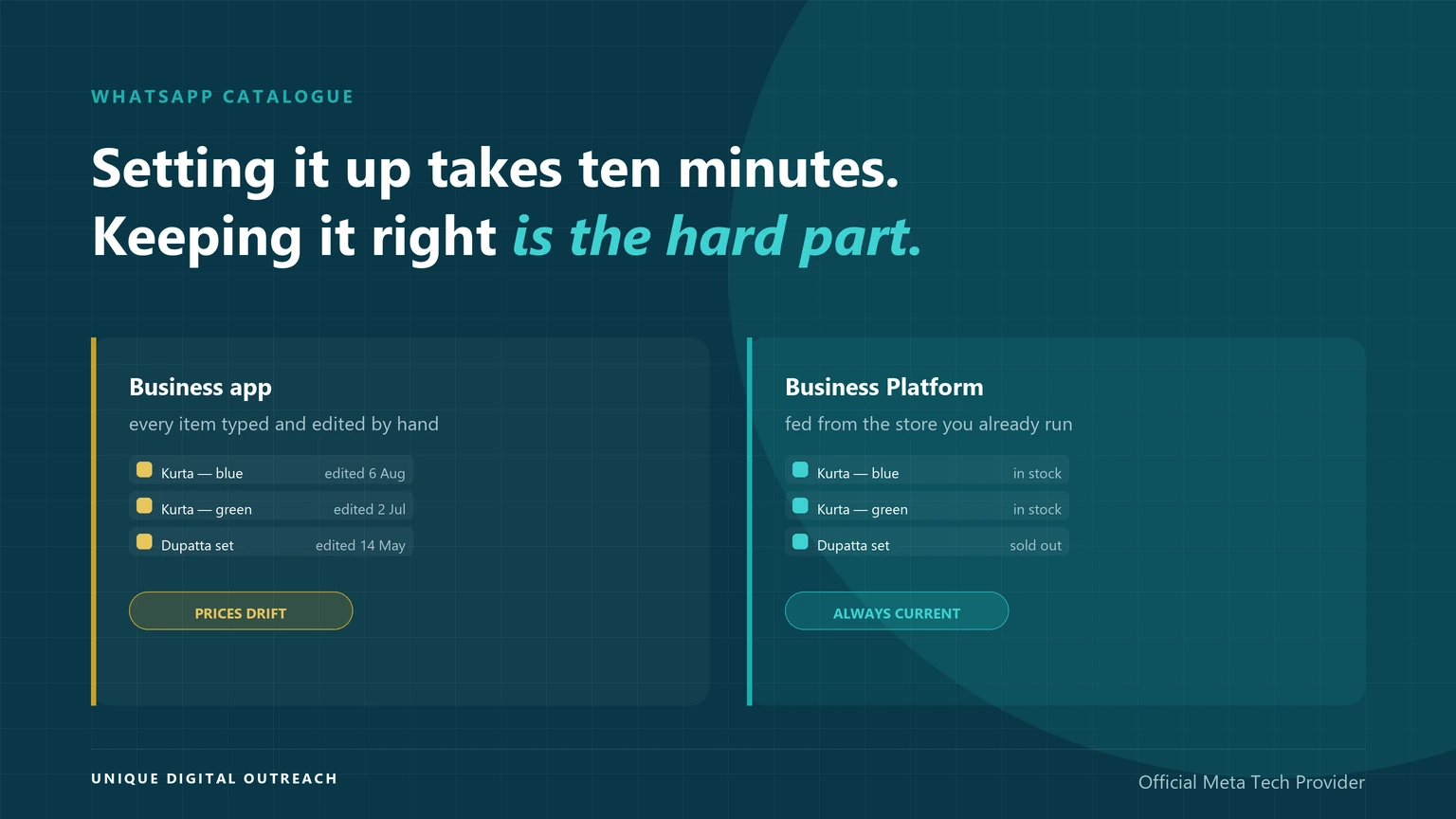
A WhatsApp catalogue is a product list that sits inside your WhatsApp Business profile, so customers can browse items and ask about them without leaving the chat. UDO builds catalogues on the WhatsApp Business Platform, where the list syncs from the store you already run instead of being typed in by hand.
Creating one is genuinely quick. The parts that catch businesses out come later: every item is reviewed against Meta’s Commerce Policy before customers can see it, some categories are refused outright, and a catalogue maintained by hand stops being practical well before most shops run out of products.
What is a WhatsApp catalogue and how do you get one?
It is a browsable product list attached to your WhatsApp Business profile, and you create it inside the app under Business tools → Catalogue. It is free to create, and every item is reviewed by Meta before it appears.
- Where it lives: in your business profile, reachable from the chat — customers browse and send you a product to ask about it.
- What it costs: nothing to create. Messages you send about it are billed at normal WhatsApp rates.
- The catch: items are reviewed against the WhatsApp Commerce Policy, and rejected items simply never show.
- Where it breaks: the app catalogue is maintained by hand, with no connection to your store — so prices and stock drift the moment your inventory moves.
What does a WhatsApp catalogue actually do?
It removes the step where a customer asks “what do you have?” and somebody types out a list.
- Customers browse without asking. The catalogue is reachable from your profile and from the chat window, so people can look before they message.
- Products can be sent into a conversation. Either side can share a specific item, which turns “the blue one, second from the left” into an actual product card.
- Each item carries its own detail. Name, price, description, image, product code and a link back to your site.
- Collections group things. You can organise items into collections — these are reviewed by Meta as well, not just the individual products.
How do you set up a WhatsApp catalogue?
On the WhatsApp Business app, the whole process is inside the app itself.
- Open Business tools. In the WhatsApp Business app, go to Settings, then Business tools, then Catalogue.
- Add your first item. Upload images, then fill in the name and price. Description, link and product code are optional but worth doing — the link is what sends people to your site.
- Save and wait for review. Meta checks each item against the Commerce Policy before customers can see it. This is not instant.
- Group items into collections once you have enough to justify it. Collections go through their own review.
- Check what customers actually see. Open your own business profile from another phone. Items still in review, or rejected, will not be there.
The review step is the one people miss. A catalogue can look complete on your own screen and be almost empty to everyone else, because your view shows items that are still pending or refused. Always check from a second device before you point customers at it.
Why is my WhatsApp catalogue not showing?
Almost always one of four things, and the first is by far the most common.
- The items are still in review, or were rejected. You see them; customers do not. Meta notifies you about rejections in the app, but it is easy to miss.
- The category is not permitted. Some products cannot be sold through WhatsApp at all — no amount of resubmitting will change that.
- The catalogue is hidden in your profile settings. Worth checking before assuming a policy problem.
- You are on the wrong app. Standard WhatsApp has no catalogue. It exists on the WhatsApp Business app and through the WhatsApp Business Platform.
What gets a WhatsApp catalogue product rejected?
Meta reviews catalogue items against the WhatsApp Commerce Policy, which governs what can be sold through the catalogue, the business profile and message threads. Rejections fall into two very different groups, and only one of them is fixable.
The category is prohibited. Certain kinds of product cannot be sold through WhatsApp regardless of how they are listed. If your business is in one of those categories, the catalogue is not the tool for you — check the Commerce Policy before building the list, not after.
The listing itself is the problem. Misleading images, a price that does not match the product, a description promising something the item is not. These are fixable: correct the listing and resubmit.
It is a service, not a product. The catalogue is built around items with a price. Businesses selling consultations or ongoing work often find the format fights them, even where the policy allows it.
A collection was refused rather than an item. Collections get reviewed too. A collection can be held back while every product inside it is approved, which looks like an inexplicable gap.
Meta’s guidance is that if you believe an item was refused in error, you can request another review from within the app. That is worth doing for listing problems and is rarely worth doing for category ones.
Where does the WhatsApp Business app catalogue stop working?
Not at a number. It stops working at the point where keeping it accurate becomes a job.
- Nothing syncs. The app catalogue has no connection to your store, your ERP or your stock system. Every price change and every sold-out item is a manual edit.
- It lives on one phone. The app is built around a single device, so whoever holds that phone is the only person who can maintain the list.
- Review latency compounds. Each edit can go back through review. A seasonal price change across a few dozen items is not a five-minute job.
- Accuracy decays quietly. Nobody notices a stale catalogue until a customer orders something that sold out last week — and by then the damage is a refund and a bad conversation.
The honest test is not how many products you have, it is how often they change. Twenty items with stable prices are fine in the app indefinitely. Two hundred items with weekly stock movement will be wrong within a fortnight, and wrong is worse than absent.
WhatsApp Business app catalogue vs the API
Same feature to the customer. Completely different to run.
WhatsApp Business app
- Free, set up inside the app in minutes
- Every item added and edited by hand
- No connection to your store or stock system
- Tied to a single phone
- Fine for a stable, modest product list
WhatsApp Business Platform
- Catalogue managed through Meta Commerce Manager
- Products fed from your store, so stock and price follow
- Multiple team members on one business number
- Products can be sent inside automated flows
- Built for lists that change
If you are weighing the two more broadly, our comparison of the WhatsApp Business app and the WhatsApp Business API covers the differences beyond the catalogue.
How UDO runs WhatsApp catalogues
UDO is an Official Meta Tech Provider, so the catalogue runs on Meta’s own commerce infrastructure rather than a copy of it.
- Catalogue fed from your store. Products, prices and availability come from the system you already maintain, so the list is right without anybody retyping it.
- Policy check before submission. Listings are reviewed against the Commerce Policy before they go to Meta, which is cheaper than discovering a category problem after building the whole catalogue.
- Products inside automated conversations. An item can be sent as part of a flow — an abandoned basket, a restock notice, a reply to a product question.
- Pay as you go. No software licence and no monthly platform fee. You are billed per delivered message, and failed messages are not charged.
Still updating products by hand?
Frequently asked questions
Yes. Creating and hosting a catalogue on the WhatsApp Business app costs nothing, and there is no listing fee per product. What is billed is messaging: if you send a customer a template message pointing at a product, that message is charged at the normal WhatsApp Business Platform rate for its category. The catalogue itself is not a paid feature.
In the WhatsApp Business app, go to Settings, then Business tools, then Catalogue, and add your first item. You need at least an image, a name and a price; description, website link and product code are optional. Once saved, the item goes to Meta for review against the Commerce Policy and only appears to customers after it is approved.
The most common reason is that the items are still in review or have been rejected — you can see them on your own device while customers cannot. Other causes are a prohibited product category, the catalogue being hidden in your profile settings, or using standard WhatsApp rather than the Business app. Check from a second phone to see what customers actually get.
Meta reviews every catalogue item against the WhatsApp Commerce Policy. Rejections are usually either a prohibited product category, which resubmitting will not fix, or a problem with the listing itself — a misleading image, a price that does not match the item, or a description that overstates what is being sold. Listing problems can be corrected and resubmitted from within the app.
The catalogue is a browsing and enquiry surface rather than a checkout. Customers can view items, send you a specific product and start a conversation about it, and each item can carry a link to the product page on your own site where the actual purchase happens. Treat it as the shop window, not the till.
Meta does not publish a figure we would rely on quoting, and in practice the number is rarely what limits a business. The real constraint is maintenance: on the WhatsApp Business app every item is added and edited by hand with no link to your stock system, so a catalogue becomes unmanageable at the point where products change often, not at a particular count.
Not on the WhatsApp Business app — that catalogue has no connection to any external system. Through the WhatsApp Business Platform the catalogue is managed in Meta Commerce Manager and can be fed from the store or inventory system you already run, so prices and availability follow your source of truth rather than being retyped.
The catalogue is the full list of products. A collection is a named group within it — a seasonal range, or a category. Collections are useful once the list is long enough that browsing it end to end is tedious. They are reviewed by Meta separately, so a collection can be held back even when every product inside it has already been approved.
No. The WhatsApp Business app has a perfectly good catalogue and costs nothing. You need the Business Platform when the list has to stay in step with your stock, when more than one person maintains it, or when you want products sent inside automated conversations. If your products and prices are stable, the app is the right answer.
Yes. The catalogue is reachable from your business profile, so someone can browse before starting a conversation. You can also share a direct link to the catalogue or to an individual product outside WhatsApp — in an email, on your website, or in an ad — which is how most businesses actually drive people to it.