Travel & hospitality
WhatsApp for hotels and travel: tell guests what happens next.
Hotels, resorts, tour operators and travel agencies use UDO to confirm bookings, send check-in details, alert guests to itinerary changes and take in-stay requests, over WhatsApp, SMS, RCS and outbound voice. The channel follows the guest: WhatsApp on hotel Wi-Fi abroad, SMS when there is signal but no data, a call when a change cannot wait.
Reaches guests on Wi-Fi, on the mobile network or by phone call · Trusted by 1,000+ Businesses Worldwide

Channels
Which channel reaches a guest mid-trip?
WhatsApp reaches guests wherever they have Wi-Fi or data, SMS reaches them on the mobile network without data, and a voice call reaches them when the news cannot wait to be read. The right one depends on where the guest is standing.
The guest journey
What do hotels send guests on WhatsApp?
Hotels send four kinds of WhatsApp message across a stay: the booking confirmation, pre-arrival details, replies to in-stay requests and the final folio. Three go out automatically from your booking engine or property system; in-stay requests come from the guest and are answered from a shared inbox.
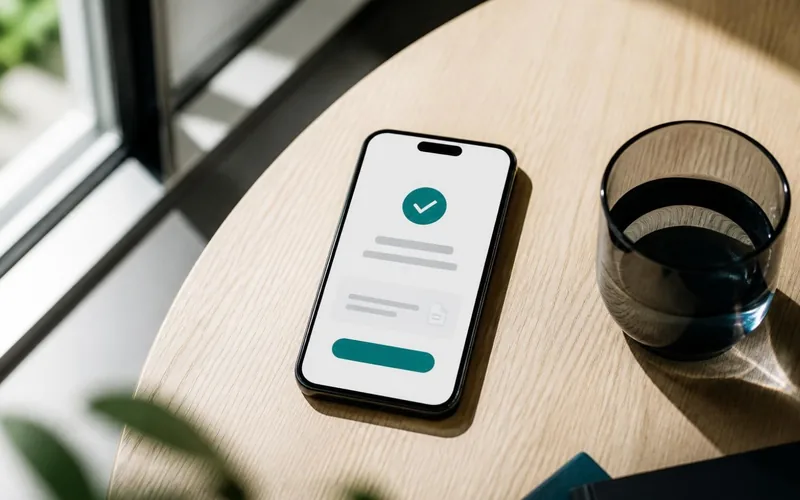
Booking confirmed
Reference, dates, room or package, cancellation terms and the invoice as a PDF on WhatsApp, with an SMS copy that reaches any phone.
Before arrival
Directions as a map pin, check-in time, a link to pre-register ID documents, and an early check-in or airport transfer offer for guests who opted in.
During the stay
Housekeeping, room service, spa slots and late check-out requested in one WhatsApp thread, routed from a shared inbox to the desk that handles it.
After check-out
The final folio, one feedback request and, for guests who agreed to hear from you, a direct-booking offer for the next stay.
Disruption
When the plan changes, the message is the service.
A delayed flight, a closed road or an overbooked room is forgiven faster when the guest hears it from you first, with the fix attached.
One change, every channel, in one call
Your system sends the change to UDO once. Voice goes out for urgency, WhatsApp carries the new time with accept/rebook buttons, SMS covers guests without data.
- Triggered through the REST API
- Accept, rebook or call as WhatsApp buttons
- Delivery receipts kept per traveller
- Group bookings told together
Who sends what
Hotels, tour operators and agencies send different things.
Hotels and resorts
Confirmations, pre-arrival details, in-stay requests and folios. A group can give each property its own WhatsApp number and SMS header, and put a click-to-chat QR code at reception and on room cards.
Tour operators
Day-by-day itineraries, meeting points as map pins, guide contacts, and the evening-before reminder ahead of an early start.
Travel agencies
Tickets and vouchers as PDFs, visa document checklists, balance-due reminders before departure, and change alerts.
Questions
Questions about WhatsApp and SMS for hotels
Hotels use the WhatsApp Business API to confirm bookings, send directions and check-in details, take in-stay requests in a shared inbox and send the final folio, all in one thread per guest.
Offers and packages go only to guests who have opted in to hear them.
Yes, on WhatsApp, which works over Wi-Fi or mobile data whichever country the guest's number belongs to.
Collect the WhatsApp number and the guest's opt-in at booking.
SMS arrives over the mobile network with no data needed, and an automated outbound voice call reaches a guest whose phone is on but who is not reading messages.
Use both for anything time-critical, such as a cancellation or a changed pickup point.
Yes. Your booking engine or property system calls UDO's REST API when a reservation is made, changed or cancelled, and the matching template goes out with the guest's details filled in.
The API documentation lists the endpoints and webhooks.
Yes. An upgrade pitch sells something the guest has not booked, which makes it promotional: send it only to guests who opted in, from a promotional template, and by SMS only to non-DND numbers between 10 AM and 9 PM by default.
The booking confirmation, sent as the reservation is made, is a transactional message; check-in details sent before arrival count as a service message. Neither is promotional, so neither is held to the promotional sending window.
Guest messages are paid for as they are delivered, so a confirmation that never reaches the guest is not billed.
Rates vary by channel and category. Nothing is charged to open the account or as a subscription, and agencies or hotel groups with regular volume can agree custom rates. Read the rate card.
Start with the question your front desk hears most.
Begin with booking confirmations or pre-arrival messages for one property, as a small paid pilot. We connect it to your booking flow and register the templates; you compare front-desk calls before and after.