Unique Digital OutreachMulti-channel messaging platform
💬
WhatsApp Business APIRich messaging · Media · Templates
Active
📱
SMSTransactional & promotional SMS
Active
🛰️
RCSRich Cards · Carousels · Actions
Active
Start reaching customers with UDO
WhatsApp, SMS & RCS — all in one platform.
Create an account
Fill in your details and our team will reach out within 24 hours.
Please enter your name.
Please enter a valid website (e.g. www.yourcompany.com).
🌍 +91
Please enter a valid number.
Please enter a valid email.
Please select at least one service.
📎Click to upload or drag & dropPDF, JPG, PNG, DOC — max 10MB
File exceeds 10MB limit.
✓
By continuing, you authorize our representatives to Call / Email / SMS / RCS / WhatsApp you regarding your application —
Terms of Service & Privacy Policy.
Thank you for choosing Unique Digital Outreach. Our team will reach out to you within 24 hours.
Live Demo
See UDO in action — Talk to an Expert
Get a personalised walkthrough of our messaging platform with one of our product experts.
💬
Live Platform WalkthroughSee WhatsApp, SMS & RCS in action with real examples.
🎯
Tailored to Your BusinessWe customise the demo based on your industry & use case.
⚡
Quick OnboardingGet started same day — our team handles the setup.
🔒
No Commitment RequiredZero obligation — just an honest look at what we offer.
🕐Demo duration: 30 minutes
Book Your Free Demo
Fill in your details and we'll confirm your slot within 2 hours.
Please enter your name.
Please enter a valid website (e.g. www.yourcompany.com).
🌍 +91
Please enter a valid number.
⏱ All times in IST (India)
✓
By continuing, you authorize our representatives to Call / Email / SMS / RCS / WhatsApp you regarding your application —
Terms of Service & Privacy Policy.
Please accept the terms to continue.
✓
Demo Booked Successfully!
Thank you! Our team will confirm your demo slot within 2 hours via call or WhatsApp.
⚡ Unique Digital Outreach will be in touch soon
WhatsApp Categories · Message Types
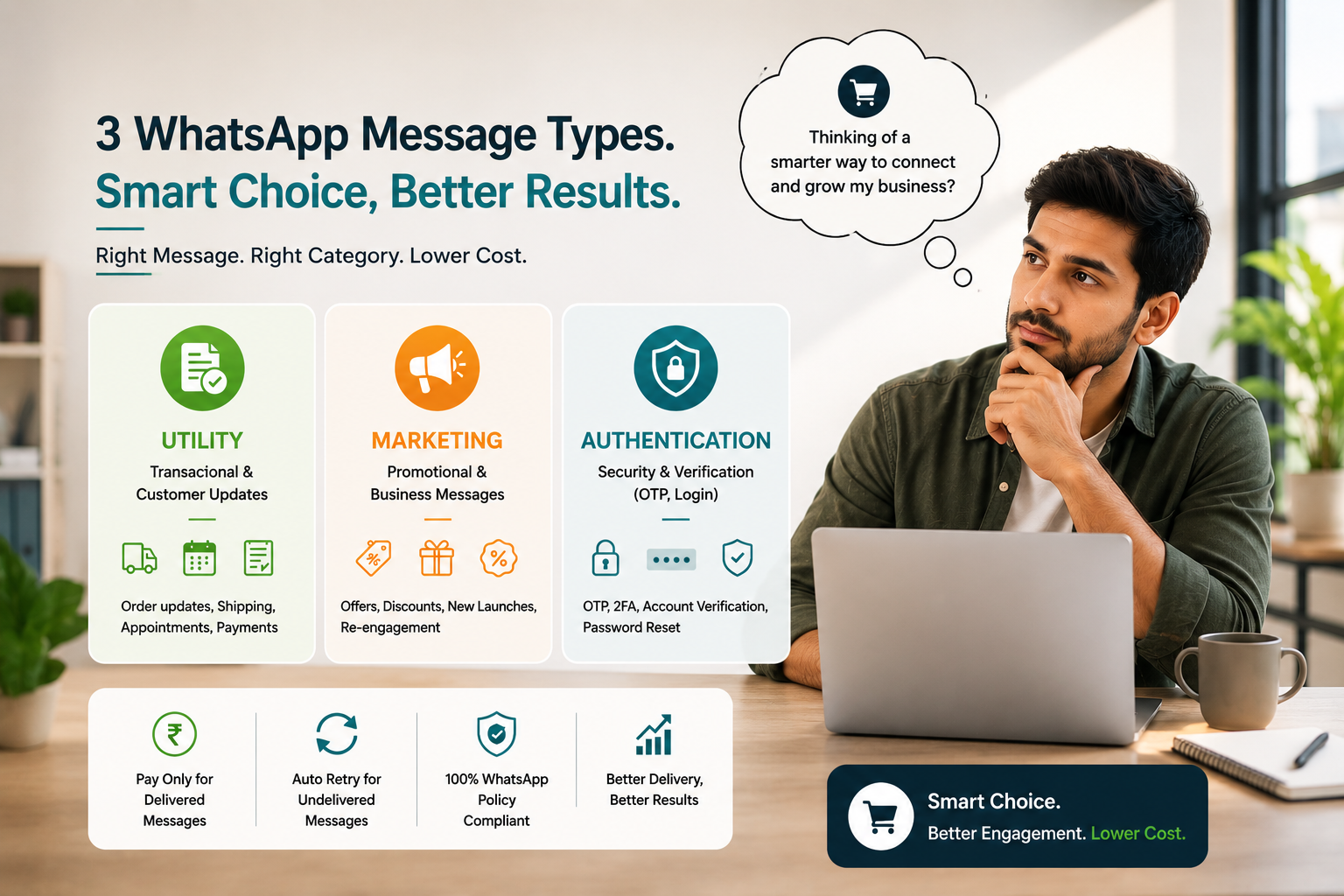
WhatsApp Utility vs Marketing vs Authentication, explained
Pick the wrong category and your template gets rejected — or you overpay by ₹0.68 on every message. This guide shows exactly when to use each type, with real examples, approval tips and a cost framework that keeps every rupee working.
By Moksh Khatri8 min readVerified pricingUpdated 2026
Utility
₹0.30
per delivered msg
Marketing
₹0.98
per delivered msg
Auth / OTP
₹0.30
per delivered msg
You’re setting up your first WhatsApp Business API template and you reach the “Category” dropdown. Three options stare back: Utility, Marketing, Authentication. The descriptions are vague, Meta’s docs are full of jargon, and twenty minutes later you still aren’t sure. You pick “Utility” because it’s cheaper — the template gets rejected. You resubmit as “Marketing” and now you’re paying ₹0.98 per message instead of ₹0.30.
Over 50,000 messages, that single mistake is ₹34,000 wasted. This guide ends that confusion — each category explained in plain English, with real examples, a decision framework, and the cost maths so you classify every template correctly the first time.
Right category · First-attempt approval
Get every template classified correctly
Marketing ₹0.98/delivered msgUtility & OTP ₹0.30/delivered msgPay only for delivered messages94% first-attempt approval
The primary-goal test Informing about a completed action → Utility. Driving a new sale → Marketing. Verifying identity → Authentication.
💡 Key insight
When a message has mixed goals, don’t compromise — split it into two templates with correct categories. A single line of promotional content (“check out our new arrivals”) converts a Utility message into a Marketing one, both in price and in compliance rules.
At a glance
Decision table — match message to category
Your message
Category
Rate (UDO)
Opt-in needed
OTP, verification & password-reset code
Authentication
₹0.30
Implicit
Order confirmation, shipping update
Utility
₹0.30
Implicit
Payment receipt, invoice notification
Utility
₹0.30
Implicit
Appointment reminder (existing booking)
Utility
₹0.30
Implicit
Subscription renewal alert
Utility
₹0.30
Implicit
Product launch announcement
Marketing
₹0.98
Explicit
Flash sale, discount offer
Marketing
₹0.98
Explicit
Abandoned cart reminder
Marketing
₹0.98
Explicit
Re-engagement / win-back campaign
Marketing
₹0.98
Explicit
Upsell / cross-sell recommendation
Marketing
₹0.98
Explicit
* UDO per-delivered-message rates, 2026. Meta assigns the final category on template review; classify honestly to avoid rejections and account flags.
In depth
Detailed breakdown of all three
Each category with what it is, the golden rule, real message examples, and a checklist for when to use it.
1
Transactional · Expected by the customer
Utility Messages
Transactional₹0.30/msgPost-actionImplicit opt-in
What they are: Utility messages are sent after a customer takes an action, providing information they need or expect as a direct result. The mental model: “I placed an order, so I expect an order confirmation.”
The golden rule: if the customer initiated the transaction and expects this message as a natural follow-up, it’s Utility.
Order Confirmation
Hi Priya, your order #12345 for ₹2,450 has been confirmed. Expected delivery: Feb 15. Track: bit.ly/track12345 — ShopName
Shipping Update
Your order #12345 has been shipped! Tracking ID: ABC123456. Estimated delivery: Tomorrow by 6 PM. — ShopName
Payment Receipt
Payment of ₹5,000 received for Invoice #INV-2024-456. Thank you! Download receipt: bit.ly/inv456 — CompanyName
Rate
₹0.30
delivered only
Opt-in
Implicit
from the action
Content
Info only
no promotion
Approval
Fast
clear intent
Customer took an action (bought, booked, paid)
Message is about that specific action
Customer expects to receive it
Informational, not promotional
No sales pitch or offer
No discount codes or CTAs to buy
Best for
Order lifecycle updates, appointment reminders, payment receipts, subscription renewals — anything that confirms or informs about something the customer already started. See Utility templates →
2
Promotional · Sales-driven
Marketing Messages
Promotional₹0.98/msgRevenue driverExplicit opt-in
What they are: Marketing messages promote your products, services or brand. The goal is to drive a sale, re-engage a customer, or raise awareness. If a message is trying to sell something or get someone to buy, it’s Marketing.
The golden rule: if you’re initiating contact to promote, sell or re-engage — not responding to an existing transaction — it’s Marketing.
Product Launch
Hi Sneha! 🎉 Our new Winter Collection just dropped. 30% off everything for the first 100 customers. Shop now: bit.ly/winter2024 — FashionBrand
Abandoned Cart Recovery
Hi Amit, you left items in your cart! Complete your purchase now and get 10% off with code CART10. Expires in 24h: bit.ly/cart456 — ShopName
Re-Engagement
We miss you, Priya! It’s been 60 days since your last order. Here’s ₹200 off your next purchase. Use code WELCOME200: bit.ly/shop — Brand
Rate
₹0.98
delivered only
Opt-in
Explicit
required
Content
Promo OK
offers, CTAs
Goal
Convert
new sale
Promotes a product, service or offer
Goal is a new sale or re-engagement
Contains a discount, offer or promo code
Encourages action (buy, shop, upgrade)
Not tied to an existing transaction
Abandoned-cart & win-back flows
Best for
Product launches, flash sales, discounts, abandoned-cart recovery, re-engagement and upsell campaigns. See Marketing pricing →
3
Security · Verification only
Authentication Messages
Security₹0.30/msgOTP & 2FAStrictly reviewed
What they are: Authentication messages are one-time passwords (OTPs) and verification codes used to verify identity or authorise actions. They are purely security-focused with zero promotional content.
The golden rule: if the sole purpose is identity verification and the message contains only a code with instructions, it’s Authentication.
Login OTP
Your OTP to log in to YourApp is 834756. Valid for 5 minutes. Do not share this code with anyone. — YourApp
Transaction Verification
OTP to verify your payment of ₹15,000: 482736. Valid for 3 minutes. Do not share. — BankName
Two-Factor Authentication
Your 2FA code for account login: 639281. This code expires in 5 minutes. — AppName
Rate
₹0.30
delivered only
Content
Code only
+ expiry
URLs
None
not allowed
Review
Strictest
zero promo
Contains only an OTP or verification code
Purpose is purely security / identity
No promotional content whatsoever
Code has an expiration time
Includes a “do not share” warning
No marketing URLs or CTAs
⚠️ Authentication templates are strict
If you include ANY promotional content — even a single line like “Check out our new offers” — the template will be rejected. Keep it purely functional: code + expiry + security warning. Nothing else.
Stop guessing at the dropdown
Let experts classify your templates before submission
Pre-reviewed before Meta sees them94% first-attempt approvalCorrect category every timeLive in 3–5 days
Four scenarios that trip up almost every business setting up templates for the first time.
#1 — Abandoned cart messages
Q The customer added items to cart but didn’t buy. I’m reminding them. Utility or Marketing? A Marketing. Even though the customer initiated by adding to cart, your message’s goal is promotional (get them to buy). It’s not a confirmation of a completed action — it’s encouragement to complete one they abandoned.
#2 — Booking confirmation vs reminder
Q I send one message when a customer books, and one the day before. Same category? A Both are Utility. Message 1 confirms the booking action; message 2 reminds about the confirmed booking. Neither is promotional — both are transactional follow-ups.
#3 — Educational content about products
Q I’m sending a “How to Use Our Product” guide. Not selling, just educating. Which one? A It depends. If the customer already bought and this is post-purchase support, it’s borderline Utility. If you’re sending it to prospects to interest them in buying, it’s Marketing. When in doubt, use Marketing.
#4 — Delivery update + cross-sell in one message
Q “Your order has been delivered! PS: Check out our new arrivals.” Mixed content — which category? A The moment you add promotional content, it becomes Marketing. Pure transactional messages must contain zero promotional language. Keep them separate: delivery update as Utility, product recommendations as Marketing.
Real numbers
What choosing wrong costs you
20,000 order-confirmation messages a month — the same send, priced two ways:
✓ Utility (correct)
₹6,000
Marketing (misclassified)
₹19,600
✓ Auth / OTP
₹6,000
Misclassifying utility as marketing · you waste
₹13,600/month · ₹1,63,200/year
A full 50,000-message mix — 20,000 Utility, 10,000 Authentication and 20,000 Marketing — costs ₹28,600/month when classified correctly. Get the categories wrong and that figure climbs fast, for no benefit. Businesses waste lakhs a year purely because they didn’t understand categories during template setup.
Get approved
Best practices for template approval
Follow these and your templates sail through Meta’s review at the right price:
Be honest with categorisation
Don’t game the system by marking marketing as utility. Meta’s review catches it and your account gets flagged.
Keep templates pure
One template = one purpose. Never mix promotional and transactional content in a single message.
Use clear, professional language
Avoid all-caps, excessive punctuation and spammy words — even in marketing templates.
Keep authentication strict
No URLs, no promotions — just code + expiry + “do not share” warning. Anything extra causes rejection.
Review templates quarterly
As your business evolves you’ll add templates. Classify each one carefully rather than copying an old category.
📌 Remember
Each template is locked to one category at approval — Utility, Marketing or Authentication. You cannot reuse a Utility template to send Marketing messages. Need both? Create separate templates. The category sets both your price and your compliance rules.
🛡️ The UDO Promise
Transparent pricing on every category
Every message is billed on delivery, not processing. Invalid numbers, blocked contacts and network failures cost you nothing — undelivered messages are automatically refunded within 24 hours, no support ticket required.
No conversation-window maths, no hidden fees, no monthly minimums. What you see is what you pay — on Utility, Marketing and Authentication alike.
Marketing ₹0.98 / delivered messageUtility & OTP ₹0.30 / delivered messageFull refund on failed deliveries in 24h94% first-attempt template approval
Transparent pricing, no surprises
See UDO’s complete pricing before you decide
WhatsApp API pricingUtility & OTP pricingBulk SMS pricingRCS messaging pricing
Utility messages are transactional and expected after a customer action — order confirmations, shipping updates, appointment reminders, payment receipts, subscription alerts. These cost ₹0.30/msg with UDO. Marketing messages are promotional — product launches, offers, discounts, abandoned-cart recovery, re-engagement, upsells — at ₹0.98/msg. The key difference: Utility informs about completed actions; Marketing promotes new ones.
Authentication messages are one-time passwords (OTPs) and verification codes sent to verify identity or authorise actions — login codes, 2FA, password reset, transaction verification. They cost ₹0.30 per message with UDO. The template must contain only the code, a validity period and a security warning (“do not share”). Any promotional content causes rejection.
No. This is template misclassification and violates WhatsApp’s policies. All templates are reviewed by Meta; promotional content submitted as utility is rejected. If it slips through and is later detected, your number can be flagged, rate-limited or suspended. The ₹0.68 per-message saving is not worth losing your WhatsApp channel — always classify honestly.
Marketing. Even though the customer showed intent by adding to cart, a reminder to complete the purchase is promotional — the goal is conversion, not confirming a completed transaction. All cart-abandonment flows (initial reminder, discount incentive, urgency message) are Marketing at ₹0.98/msg. To save, only send to high-value carts where the cost is justified.
Simple per-delivered-message pricing: Marketing ₹0.98, Utility ₹0.30, Authentication/OTP ₹0.30. You’re charged only for messages that reach the customer. Any failed delivery is automatically refunded within 24 hours — no ticket needed. No conversation-window maths, no hidden fees, no monthly minimums.
No. Each template is classified as one category at creation and approval, and that classification is permanent. You cannot use a Utility-approved template to send Marketing messages, or vice versa. Create separate templates for each purpose — e.g. “order_confirmation” as Utility and “flash_sale_promo” as Marketing. The category sets both price and compliance rules.
You resubmit with the correct category — a single rejection doesn’t penalise your account. But repeated rejections can flag your account for manual review and slow future approvals. Review the rejection reason, fix the category or content, and resubmit. UDO pre-reviews every template before it reaches Meta, achieving a 94% first-attempt approval rate — typically live within 3–5 days from setup.
Most businesses use all three. You need Authentication if you have login, 2FA, password reset or transaction verification. You need Utility for order confirmations, shipping updates, reminders, receipts and renewals. You need Marketing for promotions, launches, offers, cart recovery and re-engagement. A typical e-commerce business uses Authentication for OTPs, Utility for the order lifecycle and Marketing for campaigns. Book a demo and we’ll plan your template strategy.
Get it right
Classify every template correctly.
₹0 setup fee. ₹0 monthly subscription. Marketing ₹0.98 · Utility & OTP ₹0.30 — pay only for delivered messages, with full refunds on failures. Book a free demo and let our team classify your templates before Meta ever sees them.